











Skip to content
Search
+1 (888) 881-1122 REQUEST QUOTE

Clinical Areas:

Retina and Fundus

Glaucoma and Intraocular Pressure

Myopia Control

Cataract

Huvitz Patternless Edger HPE-410 D

REQUEST QUOTEor call toll-free (888) 881-1122Financing available — simple terms, no leasing. Ask about it in your quote request.

Excellent 3D patternless edger with built-in drill. Huvitz brings you the sleek and newly designed EXCELON HPE-410 D.

Introducing a new addition to the already impressive Excelon family of finishing equipment, the HPE-410 D Excelon Lens Edging System. The new HPE-410 D’s design is fresh and modern. Its revolutionary features were designed to keep up with the eye care professionals’ finishing demands. This machine comes enhanced with a stronger wheel with longer durability, and eliminates lens slippage with an adaptive lens chuck and position sensor. It also comes with the drill included.

Huvitz HPE-410 D patternless edger, angled front view
Huvitz HPE-410 D patternless edger, front view with touch screen
Huvitz HPE-410 D with the edging chamber cover open
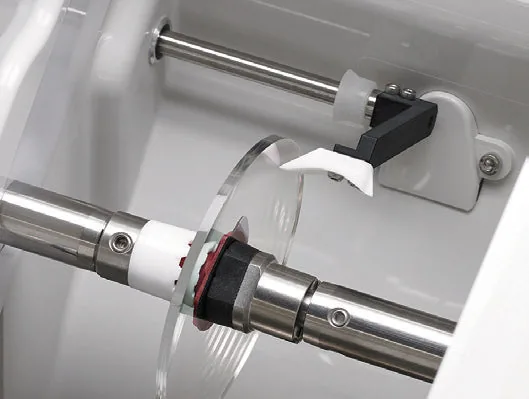
Close-up of the HPE-410 D built-in drill drilling a lens held in the chuck
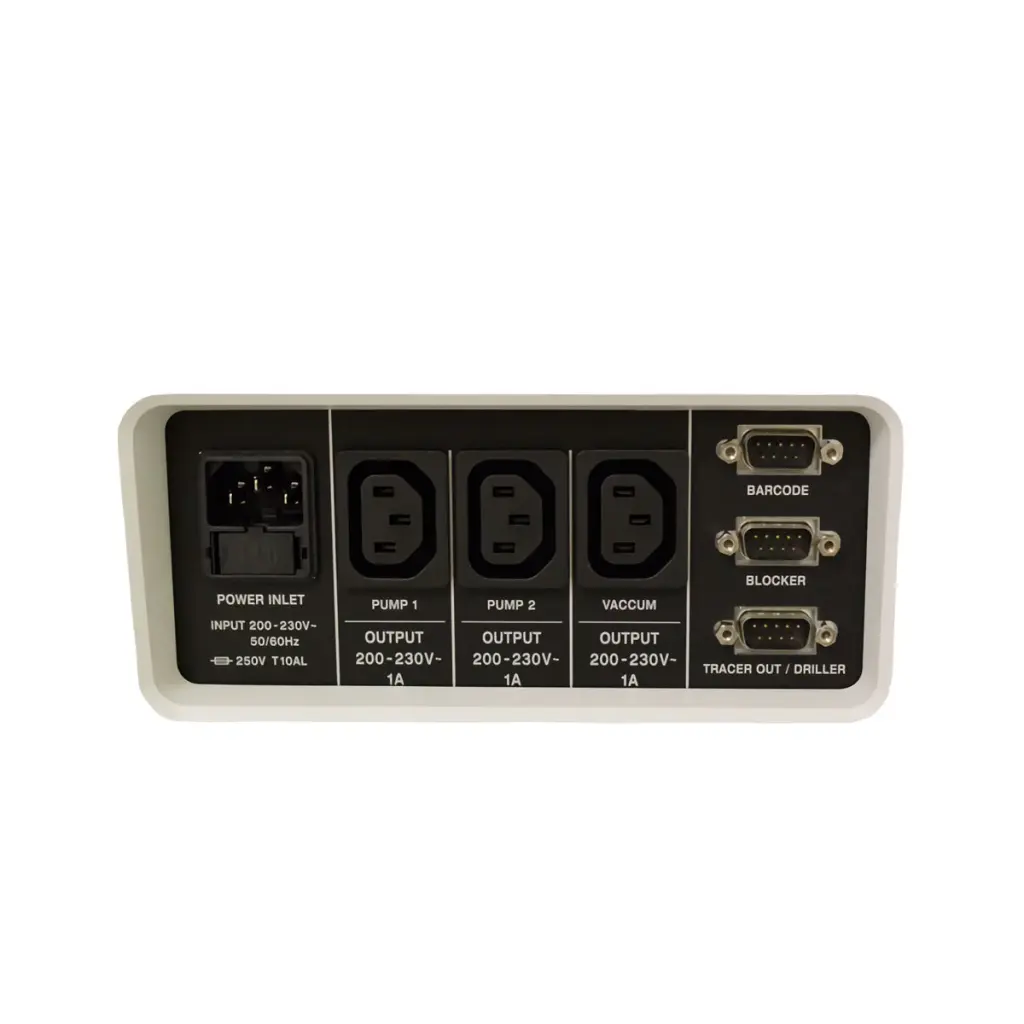
HPE-410 D rear connector panel with power inlet, pump, vacuum, barcode, blocker and tracer/driller ports
Rear view of the Huvitz HPE-410 D edger
HPE-410 D pattern screen with primary, sunlens and reader options

Hydrophobic Mode Concept

Easily adjustable roughing intensity and lens rotation speed, combined with an adaptive chuck and clamp pressure control for minimizing or eliminating axis twist and surface damage during lens processing.

HPE-410 D edging chamber with lens chuck next to the touch screen showing job settings

3 Roughing Methods for Stability in Edging

You can choose the roughing method (Normal, Spiral, Axial) based on the type of lens material and the amount of coating.
Roughing proceeds more steadily if you enter the lens diameter directly in Normal or Spiral roughing mode.

Easier Hydrophobic Mode

With ultra-water-repellent coated lenses that are susceptible to slipping and deflection, processing options such as roughing method, safety mode, pressure control of the adaptive clamp chuck, and rotation speed of the lens can be adjusted and operated at the same time.

HPE-410 D touch-screen job screen with lens layout and processing options

Built-in Drill

Lens drilling is a critical part of lens processing. The drill of the HPE-410 D delivers unparalleled precision and a range of hole sizes, as well as grooving capabilities. Easy hole editing management and a high-power motor make a great synergy for rimless glasses.

HPE-410 D hole editing screen

Adaptive Clamp Chuck to Prevent Lens Deformation

Minimizes axis twist, which prevents lens and coating damage when processing high-curved lenses:

  • Automatic adjustment for 3-step pressure (high, medium, low)
  • Manual input adjustment (from 50 to 150%)

4 Retouch Options

After completing a set of processes you can easily modify the size, polishing, grooving and safety beveling.
Includes a list of the latest 3 jobs.

Scan & Cut Which Can Make Special Shapes

Individual design: now you can directly scan a variety of lenses or convert image files to job files and begin cutting (with HAB-8000 and HDM-8000 configuration).

Two lenses cut into custom decorative shapes

Highly Responsive 9.7″ Color Display

Intuitive GUI with Huvitz’s simple yet sophisticated design.
Touch operation that is easy to start even if you are not familiar with operating the machine.

Huvitz HPE-410 D edger with its color touch screen

Advanced Edging Modes

This new generation of Excelon is very user friendly. It has a wide variety of modes to suit all user requirements. A higher level of efficiency and functionality is also possible by integrating the optional auto blocker and/or driller.

8 Different Types of Edging to Match Frames

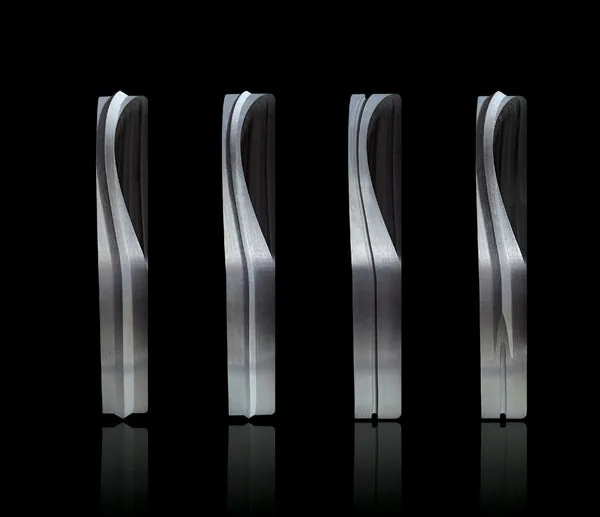
Customized lens processing is possible, such as Bevel, Rimless, Mini Bevel, Partial Bevel, Partial Grooving, Dual Grooving and Hybrid Grooving.

Lens edge profiles showing different bevel and groove types

More Sophisticated 6 Bevel Positions and Preview Mode

The optimal position is chosen with automatic calculation of lens type, thickness and frame through 2D and 3D simulations.

  • Automatic bevel position / Manual bevel position (Percentage %, Front offset, Rear offset, Base Curve)
HPE-410 D manual bevel position screen with bevel preview

5 Kinds of Lens Material Processing, Including the Latest Trend Materials

Lens processing with a wide range of materials and curvatures such as Plastic (CR39, Hi-index), Polycarbonate, Trivex and Glass.

3 Feeling Position Modes for Various Conditional Measurements

Optimum feeling positioning according to various situations and conditions, such as measuring in normal mode, changing frames and bevel shortfall checking:

  • 3 Feeling Position Modes: Both sides, Front only for CAP lens, Rear only for EX lens.
  • Feeling after roughing option for safety bevel / grooving quality.
Feeler measuring a lens held in the HPE-410 D chuck

Powerful Digital Pattern and Editing Function

  • Function to modify and change lens size, shape and rotation.
  • Frame type change and repairing: easily modify or replace the distorted shape of the frame through R/L exchange and R/L mirroring.
  • Easy-to-use hole editing function: edit, with just one click, holes of a variety of designs, including rectangles and slots, with the many shapes of both rimless and semi-rimless frame designs. (Note: must be connected to optional HDM-8000.)
  • Intuitive layout design function: directly enter and edit layout information in various frame shapes.
  • Easy Click editing function: edit the magnet position (Chemistrie Clip) for detachable sunlenses and reader lenses.
HPE-410 D digital pattern editing screen

Intelligent Algorithm for Improved Fitting Quality

Fitting quality is even better than previous models by applying intelligent algorithms such as automatic correction of lens size, bevel or grooving, and PD correction.

Built-in Tracer Reading More Precisely with Three-Dimensional Measurements

  • Auto, Semi-Auto or Concave mode can be selected.
  • The stylus can be manually placed in the narrow groove of challenging frames in Semi-Auto mode, and the concave shape of the demo lens is recognized in Concave mode.
  • Tracing frames and edging lenses at the same time gains efficiency and dramatically cuts down overall job time.
Built-in tracer of the HPE-410 D tracing an eyeglass frame

Parallel Process of Edging and Drilling Without Any Restrictions (When Combined with HDM-8000)

While drilling one side, the new EXCELON can edge the other side. It is even possible to finish the next task while continuing to drill.

Expert Job Editor Shows Preview and Can Run Immediately

  • Function to instantly search, preview and execute all tasks.
  • Advanced operation options for experts, giving the operator the ability to directly input the tilt angle of a frame or the curve of a lens.
HPE-410 D expert job editor screen

Powerful Multi-Tasking with the New Concurrent Processing Job Manager

  • Function to show the step-by-step job list at a glance and execute the next job while edging.
  • Large memory storage for unlimited job data.
  • Barcode interface support for changing job file names, importing and searching job files.

Direct DCS (OMA) Import Without File Conversion

Allows users to save the full information for future use, such as frame shapes, FPD, edging types and lens materials, into SD card memory without the hassle of converting DCS (OMA) job files.

  • Provides most of the ready-made job data in DCS format, collected from websites of leading frame makers.
  • Maintains folder-based DCS files to avoid duplicate file names within a folder.
  • Job data imports from external devices such as a DCS host, external tracer / auto blocker or HERA Intraworks (PC).
HPE-410 D DCS (OMA) file import screen


View the brochure

Specifications

Huvitz Patternless Edger HPE-410 D specifications
Edger Specification
Lens Material Plastic, Polycarbonate, High Index Plastic, Glass, Trivex
Wheel Diameter 3.9in / 100 mm, RPG Type
Edging Mode Beveling (Normal / Partial / Mini Bevel); Grooving (Normal / Partial / Hybrid / Dual Grooving); Flat Edging; Safety Beveling; Polishing; Built-in Drill (Fixed at 12°)
Functions Job Manager, Digital Pattern, Hole Editor, Retouch, Bevel/Groove Simulation, Shape Mirroring, Concave Shape, CAD File Export, OMA Import, VCA/DCS Compatibility
Utilities Manual Edging Room Door (Hinged Door); Edging Room Illumination; Single Side Feeling (Front, Rear); SD Card Storage (Memory Included)
Display 9.7 inch Color TFT LCD (1024x768) with Touch Screen
Edging Size Max: 3.5in / 90 mm; Min: Flat Edging: 0.7in - 18.5 mm (without Safety Bevel) / 0.9in - 23.0 mm (with Safety Bevel); Bevel Edging: 0.8in - 20.0 mm (without Safety Bevel) / 0.97in - 24.7 mm (with Safety Bevel)
Dimensions 23.8(W) x 22.5(D) x 14.5(H) in (604(W) x 571(D) x 369(H) mm)
Weight 103.4 lb / 47 kg or Less (99 lb / 45 kg without Tracer Module)
Power Supply AC 100~120 V / AC 200~230 V 50/60 Hz
Power Consumption 1400W(110V), 1500W(220V)
Tracer Specification
Tracing Type Automatic 3D Binocular Tracing
Tracing Mode Auto, Semi-Auto
Tracing Size Frame ⌀ 0.63 ~ 3.6 in (16.0 ~ 92.0 mm), Pattern ⌀ 0.63 ~ 3.3 in (16.0 ~ 84.0 mm)
Frame Material Metal, Hard Plastic, Soft Plastic
Data Processing FPD, Frame Curve, Circumference, 3D Angle, Concave Shape
Drill Specification
Slot Width 0.03 ~ 0.2 in (1.00 ~ 5.00 mm)
Slot Length Max: 0.78 in / 20.00 mm